Bridge to Natural Language Processing#
Use this notebook
Use Notebook 4: NLP text features for this chapter:
open it in the book or
download the notebook.
The NLP course uses NumPy, pandas, Matplotlib, Seaborn, scikit-learn, spaCy, PyTorch, Transformers, sentence-transformers, and related libraries. The models may be unfamiliar, but their Python building blocks are not.
Text often starts as dictionaries#
An NLP dataset rarely begins as a matrix. It may arrive as JSON, a spreadsheet, or one file per document. Each observation usually contains the text plus metadata such as a document ID, participant, condition, or label. A dictionary keeps those fields named, which is safer than relying on their position in a list.
In the example below, documents is a list with one dictionary per response. The two
list comprehensions select the same field from every dictionary. At this point the IDs
are not used, but they should be retained so predictions can later be connected to the
source observations.
documents = [
    {"id": "D01", "text": "The participant responded quickly.", "label": "fast"},
    {"id": "D02", "text": "The participant hesitated.", "label": "slow"},
]

texts = [document["text"] for document in documents]    # one text per document
labels = [document["label"] for document in documents]  # keep the target labels
Preprocessing as a function#
Models should receive text processed by the same rules. Placing those rules in a function makes the transformation repeatable and testable. Here the function lowercases the text, removes full stops, and splits on whitespace. This is useful for seeing the mechanics, but it is not a complete tokenizer: punctuation, contractions, hyphens, and languages without whitespace require more careful handling.
Try simple_tokens("Don't re-test this!") and inspect where the simple rules fail.
def simple_tokens(text):
    cleaned = text.lower().replace(".", "")  # normalise case and remove full stops
    return cleaned.split()                    # split on whitespace

tokenised = [simple_tokens(text) for text in texts]  # apply the same rule to all texts
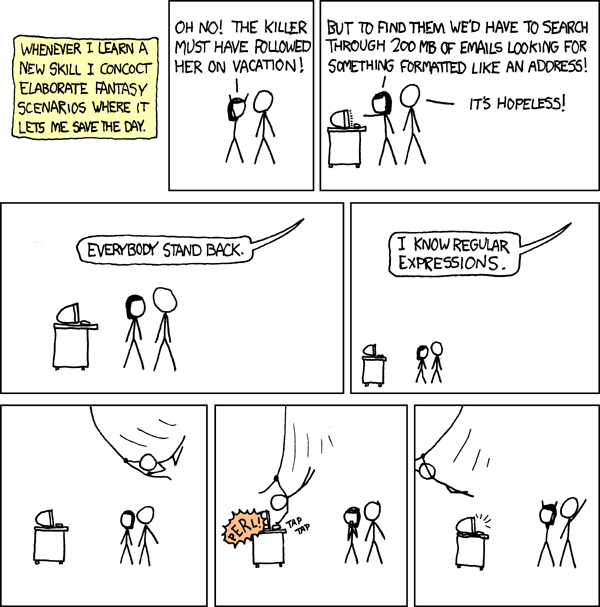
Fig. 9 Regular expressions are useful for finding text patterns, although the escape characters are less cinematic in practice. “Regular Expressions” by Randall Munroe, licensed CC BY-NC 2.5.#
Text becomes numeric arrays#
Most statistical models cannot operate directly on strings. TfidfVectorizer first
learns a vocabulary from the supplied documents and then creates one numerical column
per vocabulary term. Each row represents a document; larger values mark terms that are
prominent in that document but not common throughout the corpus.
The fitted vocabulary belongs to the vectorizer object. New documents must be
transformed with that same fitted object so their columns retain the same meanings.
from sklearn.feature_extraction.text import TfidfVectorizer

vectorizer = TfidfVectorizer()            # object that learns a vocabulary
X = vectorizer.fit_transform(texts)       # documents × vocabulary matrix

print(X.shape)                            # rows are documents
print(vectorizer.get_feature_names_out()) # columns are vocabulary terms
Again we see:
an object:
vectorizer;methods:
.fit_transform()and.get_feature_names_out();an output matrix shaped documents × features.
Modern model objects#
Transformer libraries use the same object–method–attribute pattern at a larger scale.
The tokenizer converts strings into a dictionary-like collection of integer tensors,
commonly including token IDs and an attention mask. Padding makes documents in a batch
the same length. model(**tokens) passes each dictionary entry as a named argument to
the model.
The returned object contains several possible outputs. last_hidden_state is the
contextual representation for every token, not one vector per document. Its typical
shape is documents × tokens × hidden features; a later pooling decision determines
how token representations become document representations.
tokens = tokenizer(texts, padding=True, return_tensors="pt")  # integer tensors
outputs = model(**tokens)                                      # pass named inputs
embeddings = outputs.last_hidden_state                         # one vector per token
You do not need to understand the transformer yet. You do need to ask:
What type is
tokens?Which keys does it contain?
What shape is each tensor?
Which dimension represents documents, tokens, and hidden features?
Is
.last_hidden_statea method or attribute?
Exercise 21 (Shape transfer)
A tensor is shaped (16, 128, 768) and represents batch × tokens × embedding dimensions. What shape remains after averaging token representations with axis=1?
Hint
Write the meaning of every axis above the shape. Averaging an axis removes exactly that axis while preserving the others in their original order.
Solution to Exercise 21 (Shape transfer)
(16, 768): one 768-dimensional representation for each of 16 documents.
See the official NLP course repository for the full course material.